One PC setting rids The Witcher 3 Remastered of its washed-out picture

The Witcher 3 Remastered launched this week, and early impressions of the re-release are mostly positive.
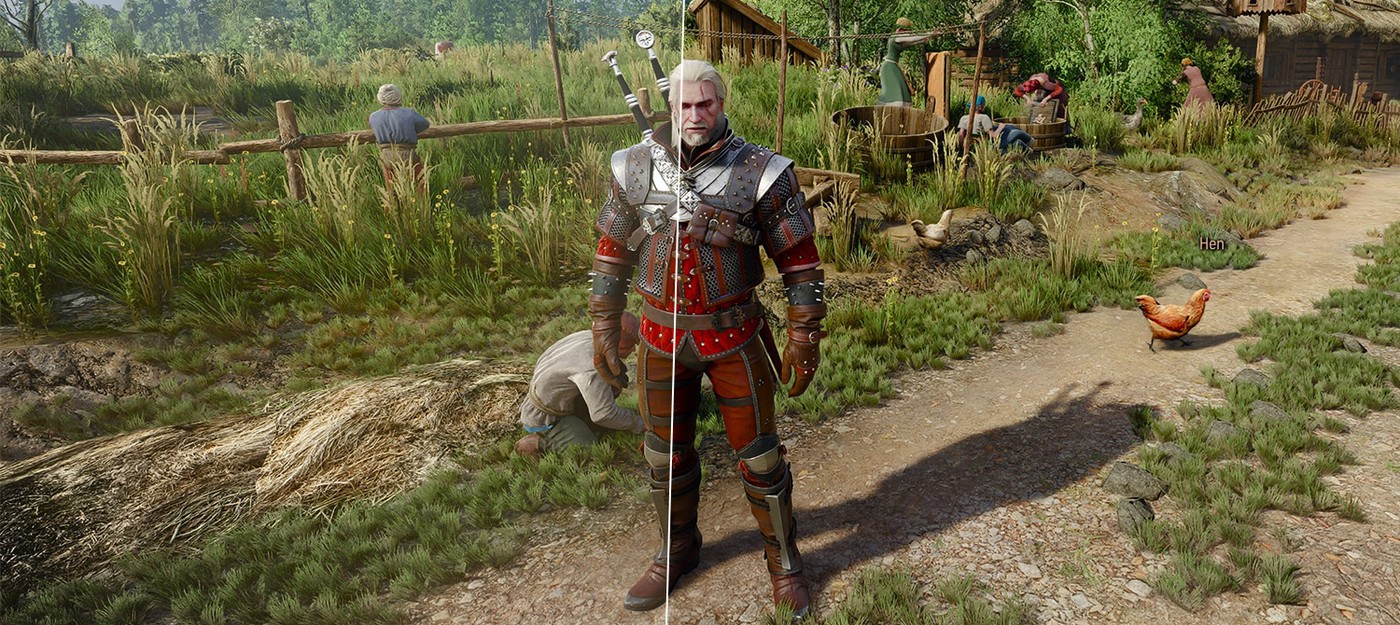
Lighting has sparked the most debate. The updated visuals are noticeably brighter than the original, and some fans of the grim, dark fantasy didn't care for the change.
The argument kicked off as soon as the review embargo lifted. Early players began posting comparison screenshots and arguing over whether The Witcher 3 Remastered had become too bright. Some prefer the harsh, high-contrast shadows of the original, while others appreciate the more realistic and sophisticated lighting of the remaster.
PC players have found a simple fix. Turning off bloom in the settings menu, an effect that creates a glow around bright light sources, gets rid of the washed-out look.
The tip got an enthusiastic response on the Witcher subreddit, where players shared their reactions to the difference.
One player wrote:
Wow that actually was a whiplash change thanks
Another commenter said:
This needs to go to the top of the sub.
A third player added:
Oh my god thanks. This looks so much better
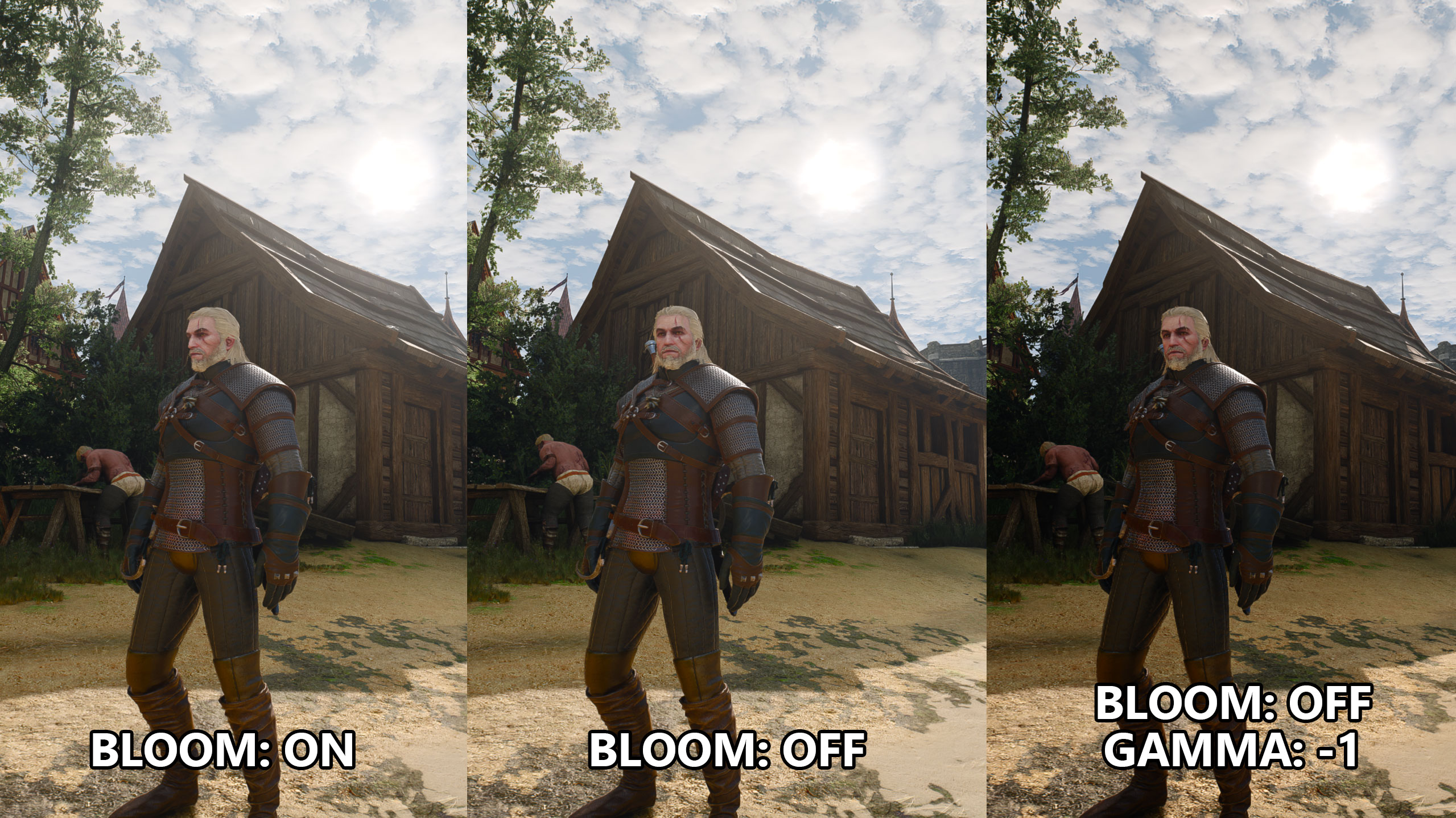
Enthusiast NikTek called the lack of contrast the biggest complaint about the remaster. According to him, some scenes do look flat compared to the original, and the culprit is global illumination. The technology calculates bounced light, which brightens shadows and softens them.
For now, PC players can restore the familiar grim atmosphere on their own. Besides bloom, it's worth turning off other post-processing effects:
motion blur
chromatic aberration
vignetting
Consoles are a tougher case. On PS5 and other platforms, there is no bloom toggle in the settings. Players only get brightness, contrast, and gamma controls, which won't give a quick fix for the image.