Photoshop's Rotate Object feature turns a photo of your hand into a 3D drawing reference

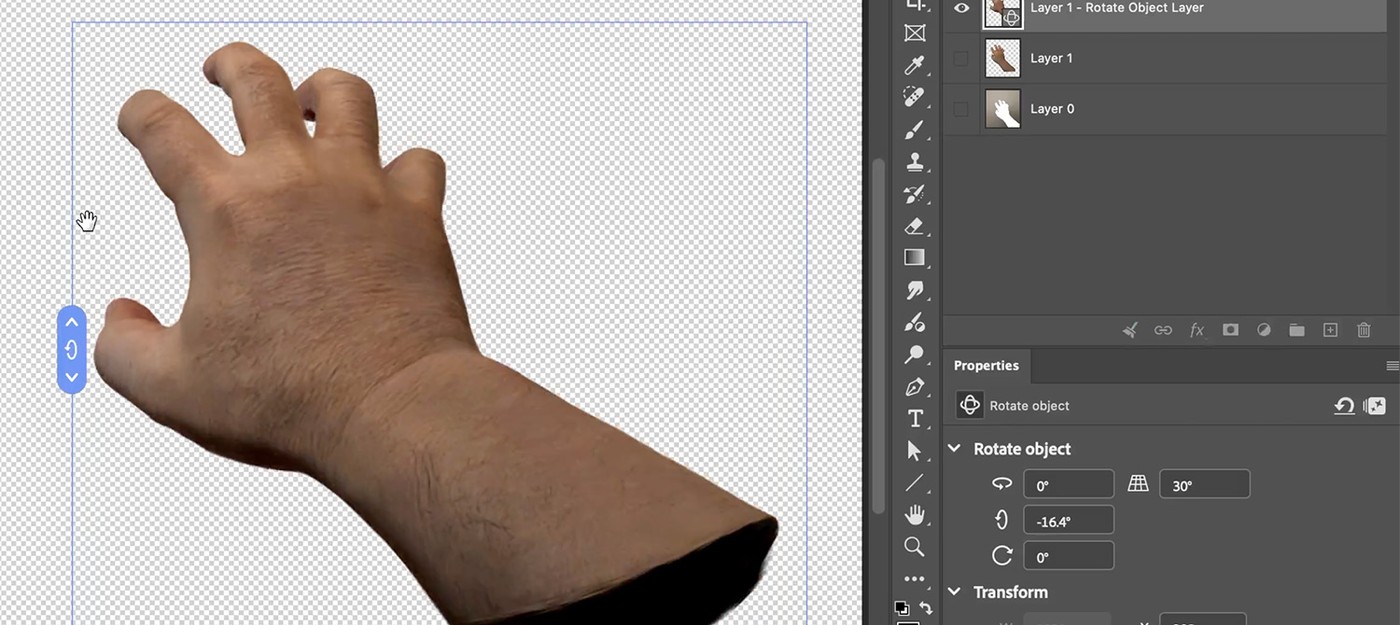
Adobe employee Daichi Ito shared a practical use case for a new Photoshop feature that lets you rotate 2D objects in three-dimensional space.
According to him, artists who draw characters often need to understand how a particular hand pose looks from a specific angle – and the tool handles that in seconds. Just take a photo of your own hand, open it in the editor, and rotate it in any direction.
Ito mentioned that he personally plans to use the feature as a reference when drawing hands in complex angles and poses. Without references like this, illustrators tend to fall back on familiar, comfortable angles – simplifying their work at the cost of variety.
Other users in the comments asked whether the same approach works for rotating already-drawn artwork, and how well the technology handles more complex objects like a full-body character in costume. That would require additional tools.
Rotate Object launched in public beta in March 2026. The tool builds a low-polygon 3D version of a selected 2D layer using Gaussian splatting technology, after which the object can be rotated via on-screen controls or the contextual toolbar. When the artist clicks the finish button, the image is upscaled back to its original resolution.
The feature is accessible through the Edit menu or the Transform option in the contextual taskbar, while right-clicking activates free rotation. After the transformation, the AI-powered Harmonize tool can match the lighting and shadows of the edited object to the scene's background.